
Below you will find a list of things to consider when upgrading your equipment. Each situation is different. If you need help figuring out which options best fit your needs, please do not hesitate to contact us at support@vernier.com or 888-VERNIER (888-837-6437). If you like, we can even meet via Zoom so that you can show us what you have inherited rather than trying to write a description.
Sensors
Sensors with a BTA or BTD connector (white plastic connector) are compatible with our current lab interfaces.
Most older sensors with a round 5-Pin DIN connector can be used with our current lab interfaces by connecting them with a DIN to BTA Adapter (DIN-BTA). Note: The pre 2001-era DIN Sensors can work with LabQuest and Logger Pro, but are not compatible with Graphical Analysis.
There are some exceptions to this rule, including older Motion Detectors, Photogates, and Radiation Monitors, which require a different adapter or a replacement cable. Contact us for additional assistance in finding an adapter.
You can purchase one adapter for each sensor, or you can save money and purchase one or two adapters per interface, using them with different sensors at different times.
Some sensors (typically those with liquids) need to be stored carefully. For more info, see Do any of your sensors require special storage?
Interfaces
If you have very old interfaces such as the Serial Box, ULI, or ULI II, or want to convert from CBL (TI Calculator-Based Lab) or CBL 2, you will need to update to a newer interface. There are several options. Choose the one that best matches your data collection needs:
Go!Link (GO-LINK)
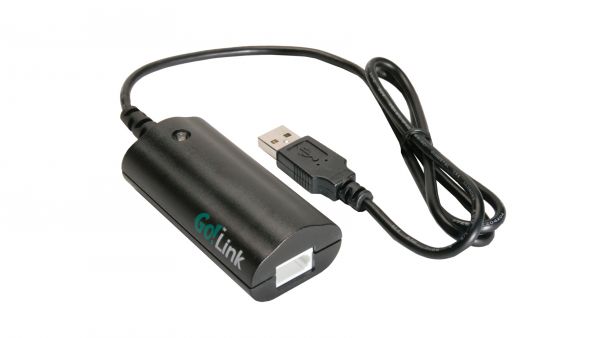
This is our least expensive interface to connect to a computer or Chromebook. It is easy to use, is powered by the USB port, and very convenient. There are some restrictions to keep in mind: It doesn’t support all of our sensors, (all sensors with order codes ending in -BTA, except the Microphone), only allows for one sensor to be used at a time, and only collects up to 200 samples/s.
Note: If you want to collect motion data, you can purchase a Go! Motion (GO-MOT), which will connect directly to a USB port.
LabQuest Mini (LQ-MINI)
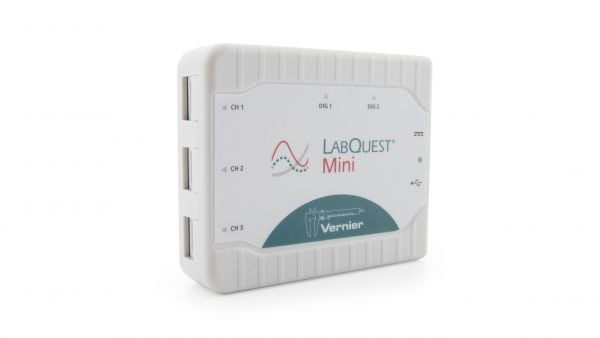
LabQuest Mini connects to computers and Chromebooks via USB and can be used with all Vernier sensors. It can collect up to 100,000 samples/s, and has 3 analog and 2 digital sensor ports.
LabQuest 3 (LABQ3)
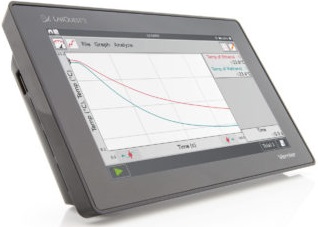
LabQuest 3 is a standalone device with a color touchscreen. It can also connect to a computer or Chromebook via USB. LabQuest 3 can also share data with iPads and other mobile devices over Wi-Fi. It can collect up to 100,000 samples/s, and has 3 analog and 2 digital sensor ports.
Software
The interfaces described above can run on Logger Pro on computers and Graphical Analysis on computers and Chromebooks. LabQuest 3 can use its own built-in software, as well.
If you are using older serial interfaces, such as the ULI or Serial Box Interface, then you might have an older copy of Logger Pro software (most likely Logger Pro 2.x). Unfortunately, ULIs, and Serial Boxes do not work with Logger Pro 3 or newer. Keep in mind that it is possible that someone in your school (or university department) has already purchased Logger Pro 3. If you fall under the site license for their purchase, you can update for free using their license. If you are not sure if someone else has the updated version, we have a system on our website that lets you download Logger Pro any time. Once you sign up, the website has a few questions to help us validate your purchase, and then you can install the latest software on the computers as needed. Sign up for free at:
https://www.vernier.com/account/?action=register
Books
When getting started with probeware, a lab book is often an instructor’s best guide. Each experiment includes student instructions, lists of required materials, and tips for instructors. If you or someone else at your school purchased a printed copy of one of our books from as far back as 2002, the upgrade to digital access of the latest version is free. Just sign up for a Vernier website account and request access to the electronic files that go with your book. Not all books have student instructions for all software options (Logger Pro, Graphical Analysis, or LabQuest App), but most do.
To purchase a book, please visit:
https://www.vernier.com/products/books/
Donations
If you find equipment that works, but is not compatible with the rest of your equipment, please consider donating it to another school that could make use of it. We do not have a trade-in or buy-back program, but some schools list their used equipment on eBay or Craigslist.