
The ideal technique is to use two products that were designed specifically for this situation:
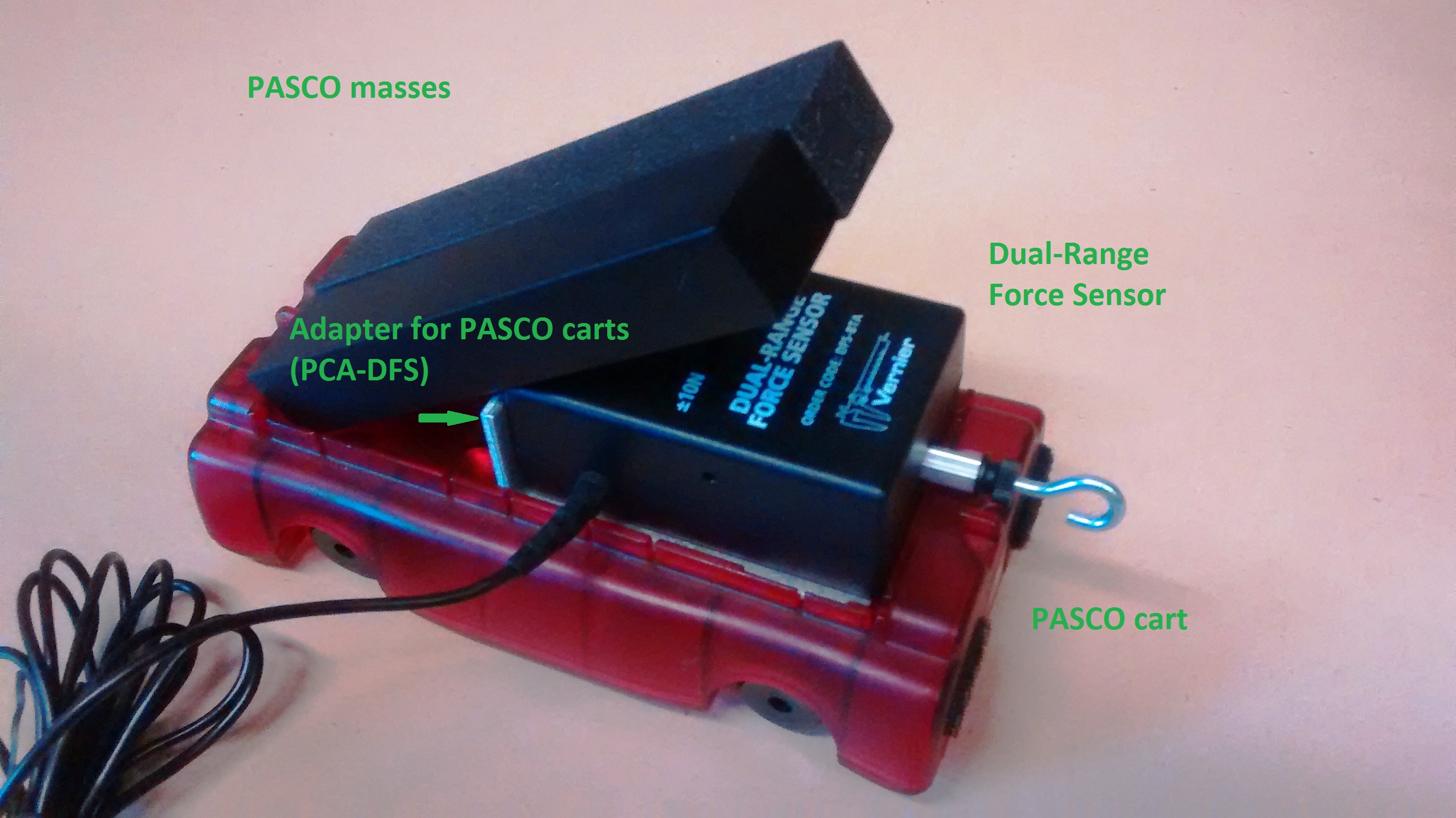
Bracket that attaches the Dual-Range Force Sensor (DFS) to a Pasco cart: Adapter for PASCO Cart (PCA-DFS)
Mass that fits onto a Pasco cart with a DFS: Mass for Dynamics Cart (MASS)
If you don’t have these products, we have a few other ideas for placing masses (standard size masses or Pasco weight bars) on a dynamics cart fitted with a Dual-Range Force Sensor:
1. Place two Pasco weight bars on the cart, at about a 30-degree angle from the horizon, with one end of the masses on the bottom of the cart and the middle of the masses resting on the top edge of the Force Sensor. This orientation is pretty stable unless the collisions are rather violent. If the weights fall off, using a little tape may be necessary.
2. Use hook-and-pile strips in one of two ways:
a. Attach the Pasco weight bars to the top of the Force Sensor.
b. Attach a standard mass to the cart. Place the mass between the screw head of the Force Sensor and the end of the cart.
3. Place a standard mass from a weight set on the cart between the screw head of the Force Sensor and the end of the cart. Wedge the mass in rather than using hook-and-pile strips or tape. With 1000 g masses, at least the ones from OHAUS, this works very well. With 500 g masses, it is more difficult.