
Motion Detector (MD-BTD)
Specifications and User Guide
There are several Motion Detector models:
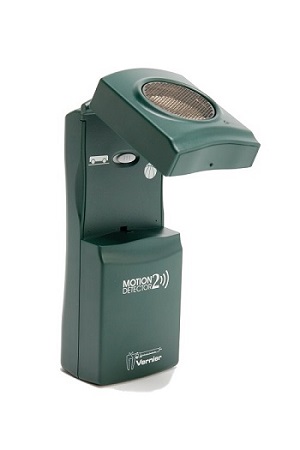 |
Motion Detector 2 Green plastic, one LED on the right below the gold screen, track mode switch inside pivoting head (began shipping 1/2005) How old is my Motion Detector 2? |
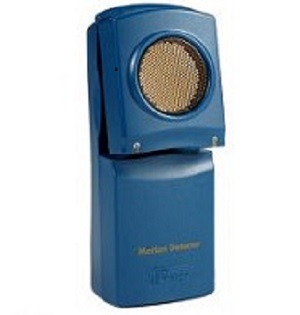 |
Motion Detector 1 (MDO-BTD, discontinued) Blue plastic, two LEDs below and to the left/right of the gold screen |
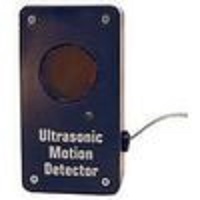 |
Ultrasonic Motion Detector for ULI (MD-ULI-O, discontinued) Blue plastic, no pivoting head, non-detachable cord ending in clear telephone connector, one red LED below the gold screen Note: For use with a LabQuest interface, the CBL Adapter for ULI Motion Detector (CBL-RJ11, discontinued) is needed. |
|
CBL Motion Detector (MD-CBL-O, discontinued) Blue plastic, no pivoting head, non-detachable cord ending in white BTD connector, one red LED below the gold screen |
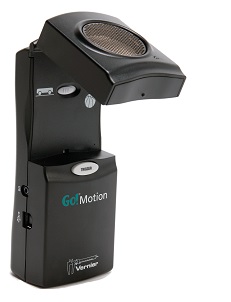 |
Go!Motion This motion detector is black and is functionally interchangeable with the Motion Detector 2. It connects directly to a computer, Chromebook, or LabQuest platform via USB cable. For use with a LabQuest digital ports, the optional BTD motion detector cable is needed. Go! Motion (GO-MOT) |
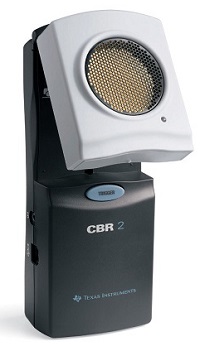 |
Texas Instruments CBR 2 This motion detector is white and gray plastic, with mode switch inside pivoting head. It is interchangeable with the Go!Motion. It connects directly to a Texas Instruments graphing calculator via mini-USB cable. For use with a computer, Chromebook or LabQuest platform, the optional Go!Motion USB cable is needed. 4-AA Batteries (included) are required when using this with a calculator. CBR 2 (CBR2) |
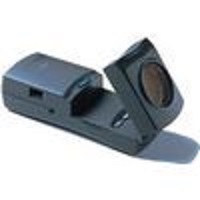 |
Texas Instruments original CBR This motion detector is dark gray. It has a pivoting head with TI-82 and TI-85 buttons under the head. The sensor of the CBR is functionally identical to that in Motion Detector 1. |
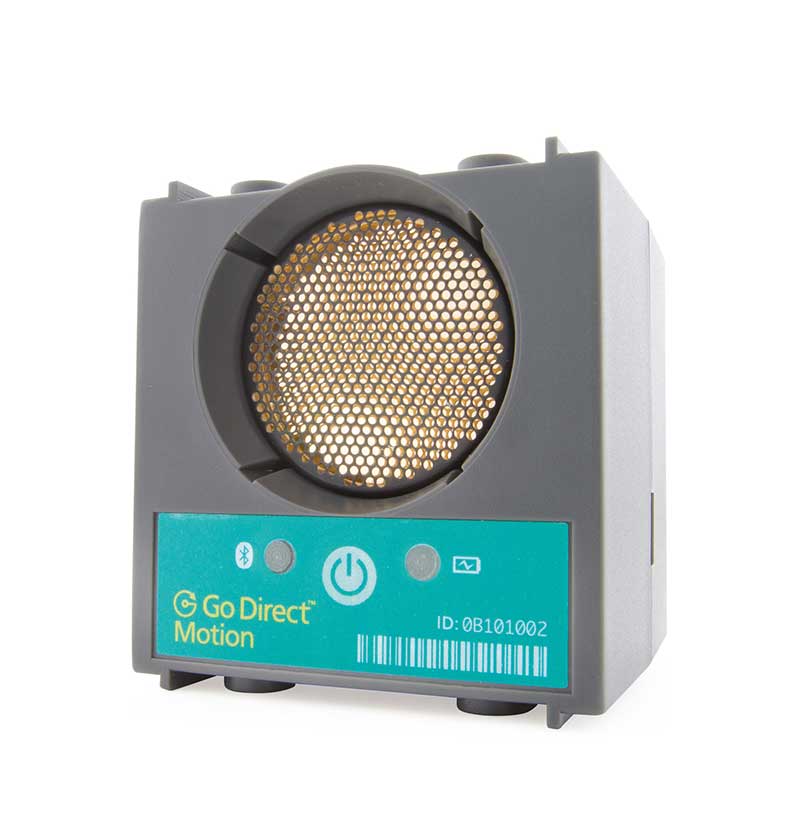 |
Go Direct Motion Detector This motion detector is cubical in shape with no switch or swiveling head. It connects directly to computers, Chromebooks, or tablets using Bluetooth® wireless technology or USB. Graphical Analysis, Graphical Analysis Pro, LabQuest 2, or LabQuest 3 is required. Go Direct® Motion Detector (GDX-MD) |
TROUBLESHOOTING (applies to all motion detectors)
- Test 1: When you start data collection, do you hear a clicking from the Motion Detector? If not, the sensor may be defective. If your sensor has a switch, sometimes the switch on the inside of the Motion Detector gets stuck between the two positions. Try vigorously flipping the switch back and forth.
- Test 2: If the Motion Detector is not working, the cable could be malfunctioning. Try a cable from a working unit.
- Test 3: To test accuracy, find a wall with no desks, chairs, doors, or other obstructions within a 2 m field. Hold the Motion Detector in your hand, 0.5 m from the wall with the gold disc pointing directly at the wall. Do you get the expected 0.5 m reading? Back off to 1.0 m. Do you get 1.0 m? Back farther off to 1.5 m. Do you get 1.5 m?
- Test 4: Motion Detectors use ultrasound to measure position. Other sources of ultrasound may be interfering with the signal. Those sources include air tracks, CRT computer monitors, fluorescent lights, and power distribution panels. Identifying these sources can be challenging. You may have to resort to moving the Motion Detector away from interfering equipment. In the case of noisy fluorescent lights, turn them off (but we rarely see this problem).
If the Motion Detector itself is not functioning, it is rarely something that can be fixed in the field. Contact Vernier Technical Support at 888-VERNIER (888-837-6437) or support@vernier.com to learn what options are available.
USAGE TIPS
- Tip 1: The optimum collection rate is 20 pts/second.
- Tip 2: Clear all objects within the 30 degree cone.
- Tip 3: If you are monitoring the motion of objects on a table or track, tilt the head up slightly.
- Tip 4: Use the Cart-on-track mode switch when using a cart on track. Use Normal (Person/Ball) mode for all other applications. It does no harm to try the other mode.
- Tip 5: Increase the target’s area (e.g., tape an index card to the object such that the ultrasound will detect the flat surface of the card).
- Tip 6: Noisy velocity data: increase the number of points used for derivative calculations. See How do I adjust the number of points used in derivative calculations?
- Tip 7: The maximum sample rate that you can use for the motion detector is 50 Hz, which equates to a sample interval of 0.02 seconds. We do not recommend that setting as it tends to produce noisy data.
- Tip 8: Sometimes the switch on the inside of the Motion Detector gets stuck between the two positions. Try vigorously flipping the switch back and forth.
RELATED TIL ENTRIES
OPERATION
- Why am I getting Motion Detector readings that are noisy or max out at a certain distance?
- Why won't my Motion Detector (or other digital sensor) plug into the channels of my LabQuest 2?
- Why don't I get a freefall acceleration value of 9.8 m/s2 when using a Motion Detector?
- How do Logger Pro, Graphical Analysis, LabQuest app, and Vernier Video Analysis calculate velocity and acceleration?
- Why does my data table have holes (empty cells) in it?
- How do you create new match files for MacMotion or Motion?
- How does a Vernier Motion Detector work (electrically)?
- Should I use a photogate or a Motion Detector?
- Can you create new match files for Logger Pro?
- How do I improve the results from a Motion Detector with an air track?
- Will your Motion Detector show the speed of a (car, baseball, racquetball)?
- How can I collect data from a photogate and a motion detector data at the same time in Logger Pro?
- Can I do Graph Matching with my Motion Detectors and TI calculators?
- How do I attach the Motion Detector bracket to the Vernier track?
- How do I use two motion detectors or two motion encoders at once to study collisions?
PROBLEMS
- A mass fell into my Motion Detector and dented the screen. Can the gold mesh screen be repaired?
- My Motion Detector is not collecting data with DataMate and LabPro.
CALIBRATION
OTHER
- Can I use a Pasco motion detector with the LabQuest, LabPro, CBL, or ULI interfaces?
- Which motion detector should I buy? What are the differences between them?
- How do I collect data using a Motion Encoder and a photogate simultaneously?
- Which Motion Detector model do I have?
SPECIFICATIONS
Ultrasound frequency: 50 kHz
Resolution: 1 mm
Accuracy: 2 mm
Range:
MD-BTD 0.15 to 6 m
GDX-MD 0.15 to 3.5 m
MDO-BTD 0.5 to 6 m
Speed of ultrasound used to calculate distance: 343 m/s*
Power: 51 mA while running
*Adjusting the “temperature” setting in Logger Pro 3 changes this value. Speed increases with temperature. We apply a linear correction such that a 1°C change of temperature is equal to 60 cm/s change of speed of sound. The Go! Motion is more sophisticated because it only has a built-in temperature sensor and applies the correction automatically.
CALIBRATION
Air temperature corrections are possible only in Logger Pro and Logger Lite in the Sensors dialog.
RELATED VERNIER PRODUCTS
Motion Detector Clamp (MD-CLAMP)
Digital Sensor Cable (MDC-BTD)
Motion Detector Bracket (DTS-MDB)
Digital Extension Cable (EXT-BTD)