Logger Pro®
Logger Pro is award-winning, data-collection and analysis software for Windows and Mac computers.
Student Friendly
- 12 built-in, self-guided tutorials.
- Write labs in Logger Pro or export data to Word or Excel.
- Includes over 1,000 experiment files supported by our library of lab books.
- Develop your own experiment files to match your curriculum.
Versatile
- Supports over 80 Vernier sensors for real-time graphing and analysis.
- Collect data from a variety of sources, including LabQuest 2, LabQuest Stream, LabQuest Mini, LabPro, WDSS, spectrometers, Ohaus balances, ProScope HR, and more.
- Enter values manually from existing data tables or import data.
- Export to Plotly and LabArchives.
Powerful
- Capture videos to add a visual record of an experiment synchronized with your data.
- Analyze a video frame by frame or take measurements from a still photo.
- Draw predictions on graphs prior to data collection.
- Perform statistical analysis of data, including integrals, tangents, curve fits (pre-defined, custom, and weighted), and more.
Basic Features
- Auto-ID sensors make setup effortless.
- Collect live data from more than 80 different sensors and devices.
- Draw predictions on a graph before collecting data.
- Use a variety of data-collection modes, as needed, for your experiment: time-based data, selected events, events with typed-in entries, photogate, radiation counting, and more.
- Manually enter data for graphing and analysis.
- Import data from Vernier interfaces.
- Lay out graphs, tables, and text as needed across multiple pages to describe your experiment.
- Read values and slope from graphs using examine and tangent line tools.
- Print graphs and data tables.

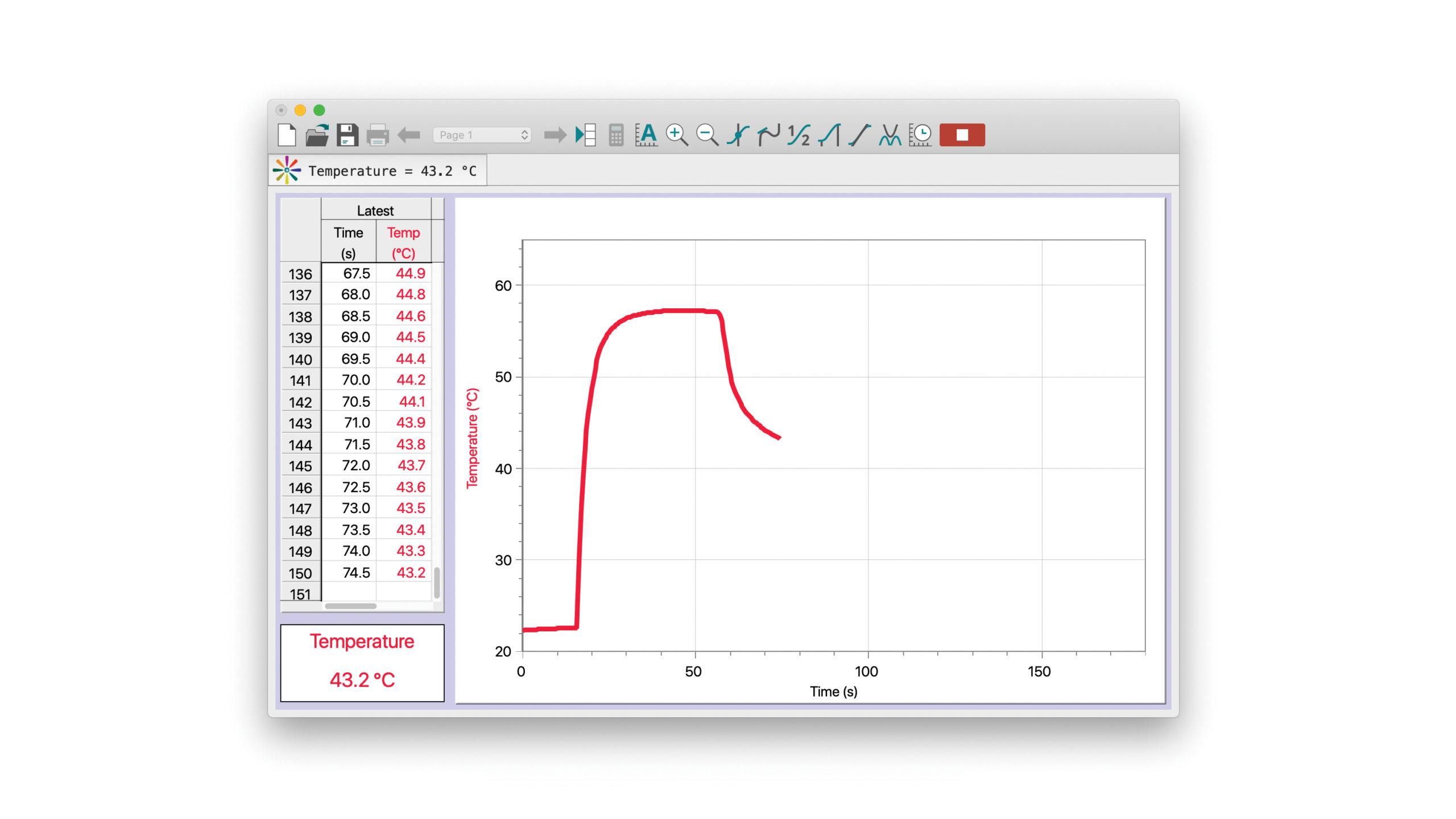
Logger Pro at first launch with a temperature sensor. Graph, data table, and meter – all ready to go. Click Collect, and you’re taking data.

After you click Collect, Logger Pro draws the graph in real time, and the data table and digital meter update continuously.

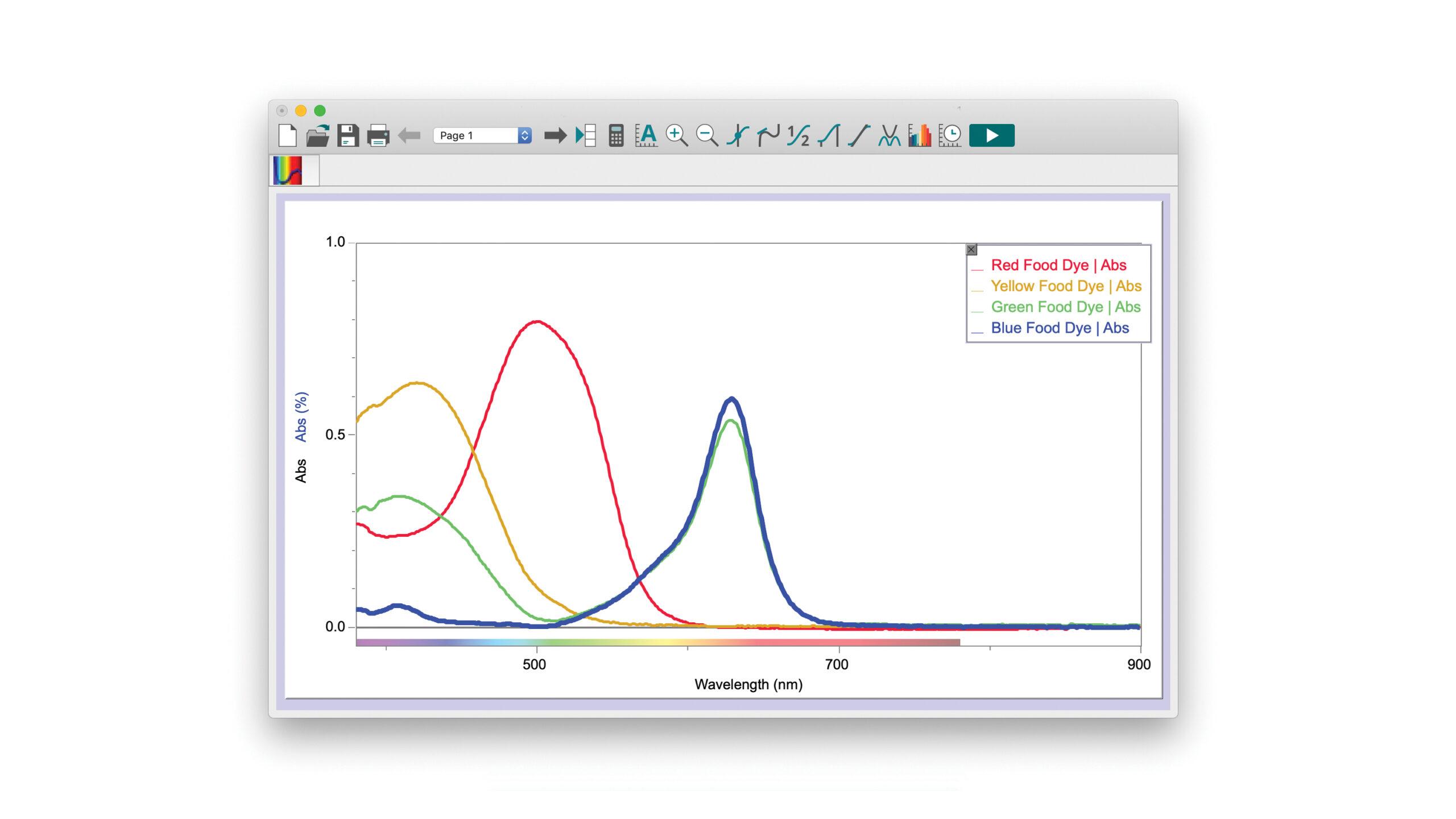
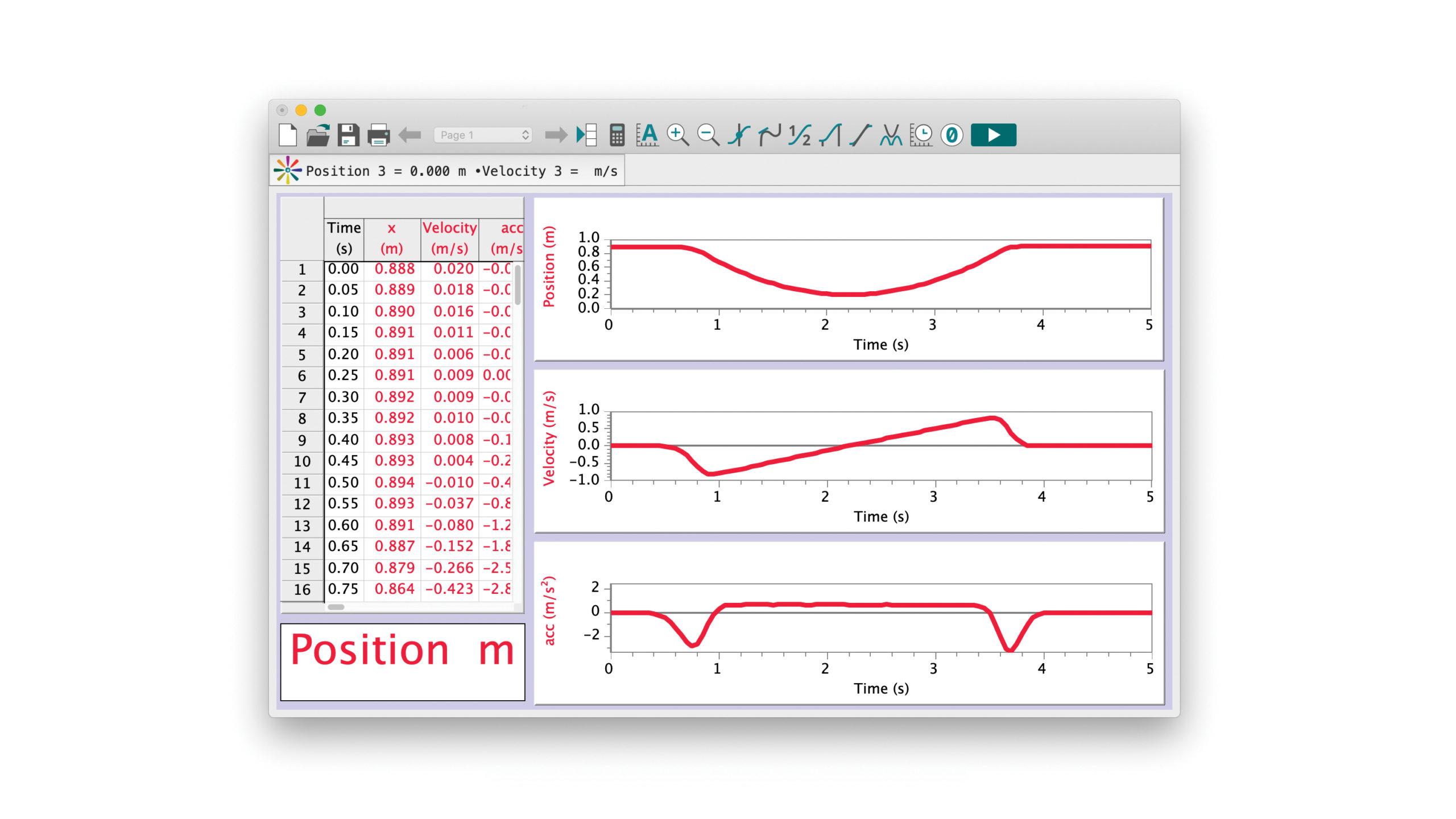
Draw tangent lines to find local slopes, fit lines to selected regions– the analysis tools you need are at your fingertips in Logger Pro
Advanced Features
- XY graphs, log graphs, double-Y graphs, strip charts, and FFT graphs
- Model data with user-adjustable functions.
- Extract data from movies using frame-by-frame video analysis.
- Capture videos from DV cameras and web cameras.
- Play back movies synced to sensor data.
- Gel electrophoresis analysis
- Calculated columns allow you to graph new quantities such as kinetic energy.
- Time of day and date stamps for graphing
- Ocean Optics spectrometer support
- GPS support
- GC peak analysis
- Manual configuration mode for IB courses
Screencasts
Learn the basic and advanced features of Logger Pro with our step-by-step screencasts.
3:05
2:13
2:43
3:05
4:20
3:02
2:52
Generous Site License
Logger Pro 3 includes a site license for your entire school or college department.
- Site license includes home computers of both students and faculty. Let them take it home!
- No need to count computers to satisfy licensing.
- Download anytime and distribute to students from online account.
- Logger Pro 3 updates are free.
Free 30-Day Demo
Try the Logger Pro 3 demo free for 30 days! The Logger Pro 3 demo is fully-functioning, and includes a few sample movies to explore its video capture and analysis features.
Logger Pro Awards
Connected Science System
Enable Logger Pro (version 3.8.6 or newer) as a Data Sharing source to stream Vernier sensor data over a network to iPad and other mobile devices.
System Requirements
Windows |
|
Macintosh |
|
Linux |
We are providing a free public beta of our award-winning Logger Pro software for the Ubuntu Linux operating system.
|
Reviews
“I must admit a large part of what makes the Go!Motion sensor a great piece of lab equipment is the software. Logger Pro is intuitive, straightforward, and inexpensive… Logger Pro allows students and teachers to have a very straightforward analysis of the data you collect in lab. It’s a lot of bang for the buck, and a site license costs as much as do many companies’ single-user licenses.”
Read the full review from NSTA Recommends »
What’s Included
- Logger Pro 3 software CD
- Site license for all computers in your school or college department, including students’ personal computers
- Free software updates from any version of Logger Pro 3
- Quick reference manual
Ordering Information
Request a Quote
All prices do not include taxes, duties, or shipping and handling. Find your local dealer »
Support
-
Resources
-
Contact Us
- Web: Online Support Form
- Email: support@vernier.com
- Phone: 1-888-837-6437
Educational use only: Vernier products are designed for educational use. They are not appropriate for industrial, medical, or commercial applications. Product usage disclaimer »


