DTS End Stop (
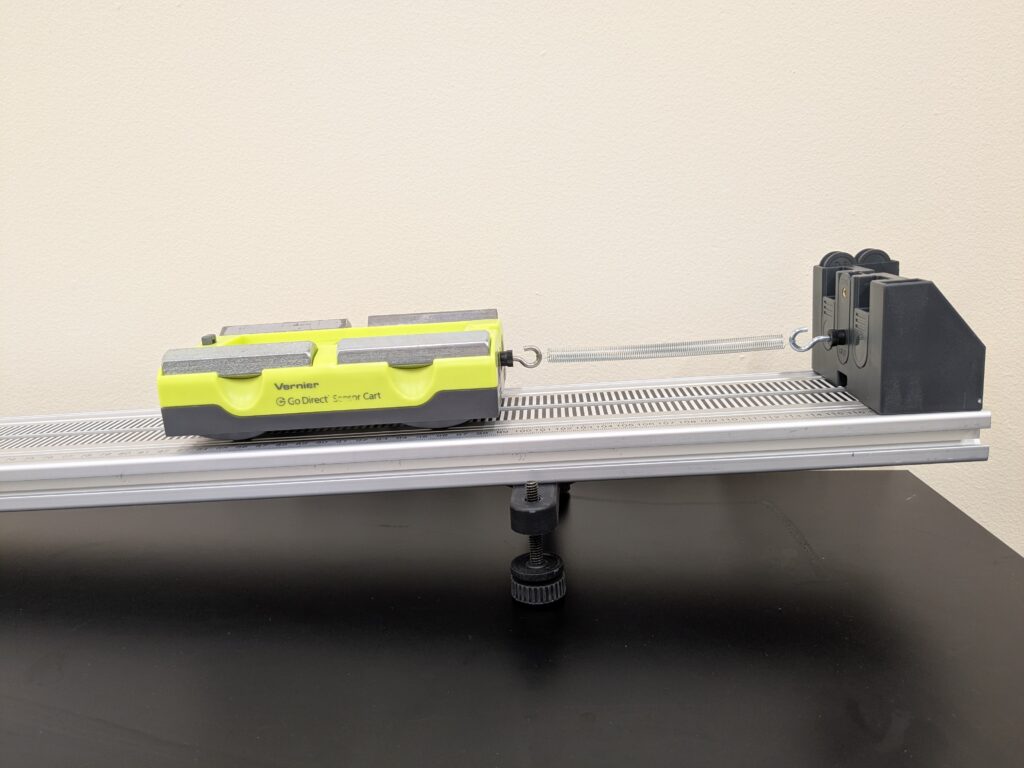
The DTS End Stop is a versatile component of the Dynamics Cart and Track System. With a removable center tab and magnet tabs, students can easily set it up to catch carts in half-Atwood setups when studying Newton’s second law. Attach a spring to the DTS End Stop and a cart to model simple harmonic motion on an inclined track. The DTS End Stop includes pockets for holding unused tabs.
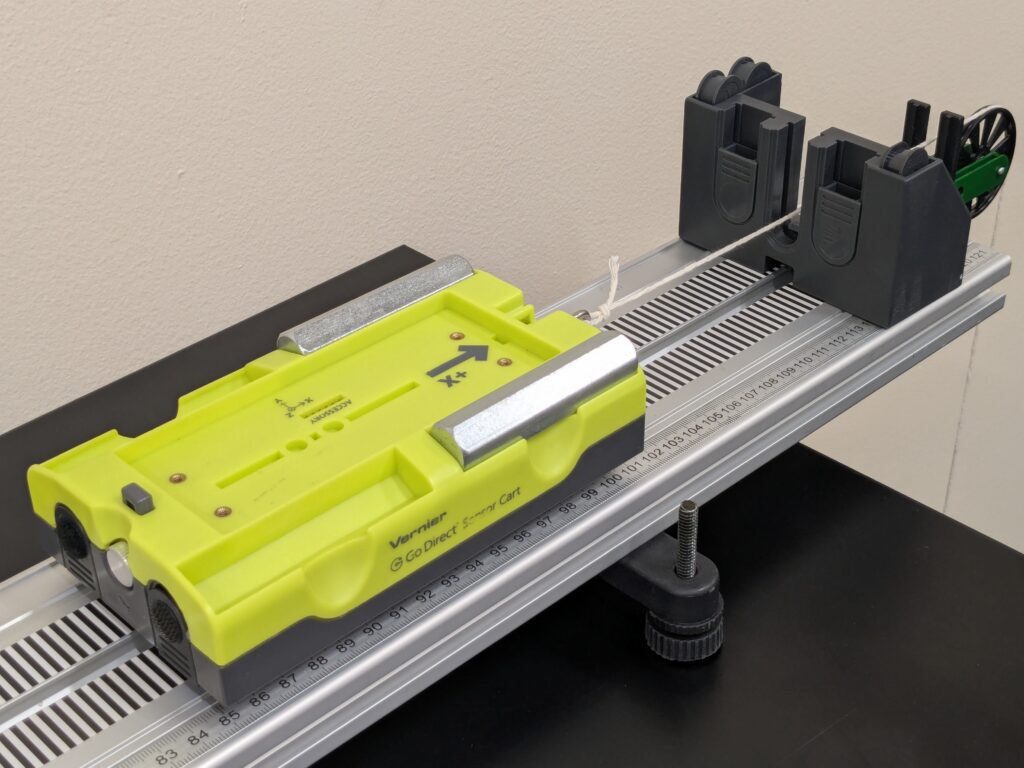
How do I set up the End Stop in a half-Atwoods setup?
- Install End Stop about 10 cm from end of track.
- Install Pulley Bracket and Pulley at end of track.
- Remove center tab from End Stop.
- With center tab removed, string from cart/force sensor can be fed through End Stop and over pulley. Adjust height of pulley such that the string leaves the cart/force sensor horiztonally.
How do I set up the End Stop to study simple harmonic motion on an inclined track?
- Install End Stop at end of track.
- Thread hook into center tab. If using a DTS cart, “DTS” threaded hole should be in the lower position. Likewise, use the “GDX” threaded hole if using a Sensor Cart.
- Raise track to desired incline.
- Connect cart and End Stop with spring.