
Unfortunately, the Vernier provided email service has been disabled!
In mid-September (2026), we discovered suspicious activity with the email system set up for sending emails from LabQuest 2 and LabQuest 3. As we investigated the threat, a potential security hole was discovered that could allow an attacker to send unauthorized emails and phishing attacks using the labquest@vernier.com account.
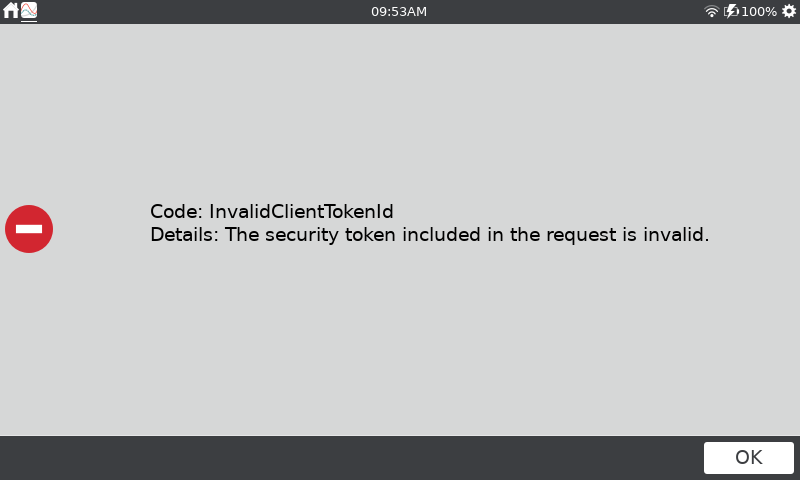
Because of this, we have shut down the service until a secure replacement can be implemented.
Can I still send emails from a LabQuest 2 or LabQuest 3?
Yes.
It is still possible to set up a LabQuest to send emails using an existing email account (e.g., Gmail or Yahoo Mail). To do this, we recommend creating an email account for this particular purpose. You can then configure all your LabQuest units to use the special email account you created.
Setting up LabQuest to use an existing email account is similar to setting up email on a phone or tablet. Below are links to articles that describe the process.
- How do I set up LabQuest 3 to email data with a Gmail account?
- How do I set up LabQuest 2 to email data with a Gmail account?
- How can I setup email on my LabQuest using a Yahoo mail account?
Note: we do not recommend that students use their personal email accounts on LabQuest units.
Can I transfer files without using email?
Yes.
The files that are sent via email can be saved to a USB flash drive and transferred manually. For instructions, see Is there a way to get the files a LabQuest sends via email directly from the LabQuest?
Will Vernier replace the email service in the future?
Yes.
The plan is to replace the service. At the time of this writing, it is unclear how long that might take. Note that any new service provide will require a LabQuest update.