
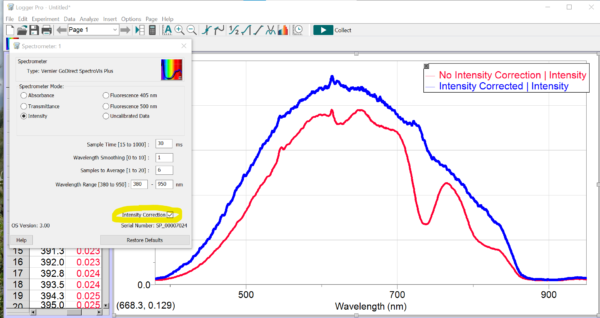
You should Select Intensity Correction when comparing sources with continuum spectra (e.g., incandescent sources).
Please note that this correction will only work properly if you are using the optical fiber attachment to your Vernier-branded spectrometer. See https://www.vernier.com/products/accessories/optical-fiber-cables/ for the correct optical fiber for your spectrometer.
DO NOT use the Intensity Correction if you are comparing emission lines from discharge tubes.
Spectral Analysis has Intensity Correction turned on by default for Emission and Fluorescence modes. This feature can be toggled off and on in Logger Pro or LabQuest.
See also
Can I do blackbody experiments with your Spectrometers?