Follow these instructions to remove or replace a Go Wireless® 100 mAh Replacement Battery (
Battery Removal Instructions
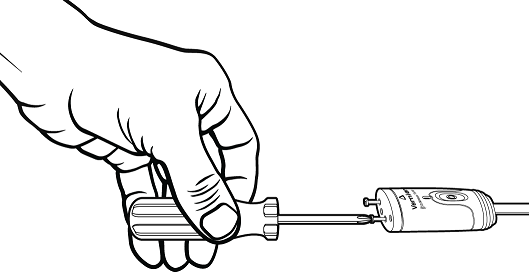
- Unscrew the end cap on the Go Wireless probe.
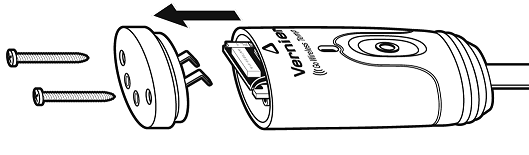
- Remove the end cap.
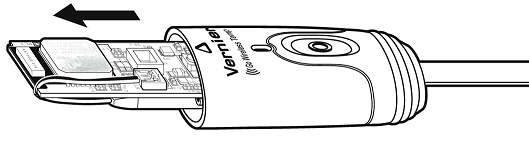
- Carefully slide the circuit board out of the probe housing.
- Carefully pull up on the battery connector to remove it from the circuit board.
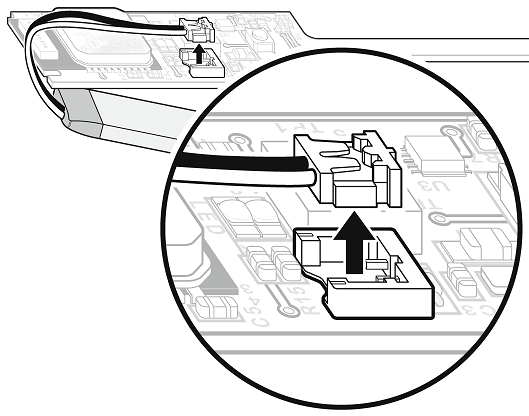
- Please be sure to dispose of the old battery properly. To find a recycling center near you, see www.call2recycle.org
Battery Replacement Instructions
- Follow the Battery Removal Instructions (above) to remove the dead battery.
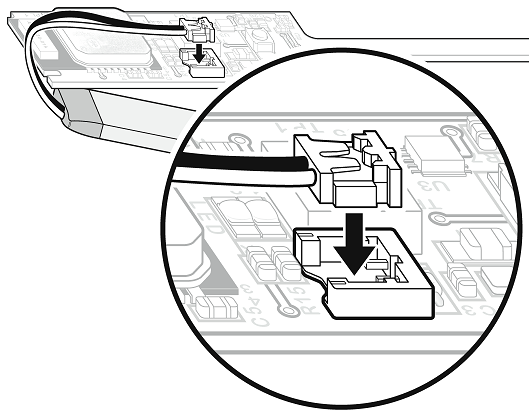
- Press the new battery connector down onto the associated pin connector located on the circuit board.
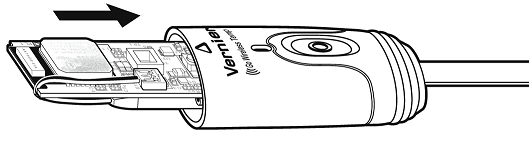
- Carefully slide the circuit board into the probe housing. Verify wires are wrapped around the edge of the circuit board, as shown below.
- Place the end cap onto the probe housing, ensuring that the battery terminals meet the corresponding contacts on the board.
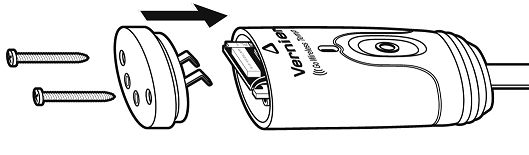
- With the end cap in place, secure with two screws.
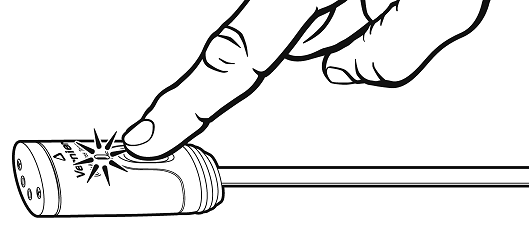
- Test the new battery by pressing the button once on your Go Wireless probe and verifying the LED lights.