
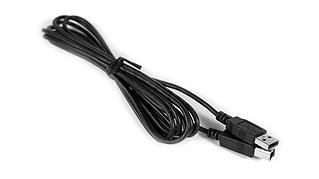
 Go!Motion to Computer Cable
- Should I buy CBR 2, Go!Motion, or Go Direct Motion to work with ...
- The CBR 2 motion detector comes with the correct cables to connect to TI graphing calculators including TI-84 Plus CE and TI-Nspire handhelds. The Go Motion USB ...
- https://www.vernier.com/til/4362
- Which motion detector should I buy? What are the differences ...
- The Go Direct Motion Detector can also be used with TI-Nspire CX II and TI-Nspire CX II CAS handhelds (requires TI Bluetooth Adapter or Data-Only Go Direct USB ...
- https://www.vernier.com/til/2996
- Can I use Go! devices with TI-84 Plus or TI-Nspire calculators or ...
- Apr 18, 2024 ... Motion—are designed for use with computers and Chromebooks. As such they come with USB cables having standard-A connectors. Easy devices— ...
- https://www.vernier.com/til/1469
- Which Motion Detector model do I have? Science Education
- Made of gray plastic and cube-shaped. Label is printed with Go Direct Motion. This sensor connects to your device using Bluetooth or USB cable.
- https://www.vernier.com/til/3269
- Go!Motion Troubleshooting and FAQs Science Education
- Dec 1, 2017 ... Try vigorously flipping the switch back and forth. Secondary test: If the Go!Motion is not working, the cable could be malfunctioning. Try a ...
- https://www.vernier.com/til/2115
- Go Direct Motion Troubleshooting and FAQs
- Mar 8, 2018 ... Secondary test: If the Motion Detector is not working when connected via USB, the cable could be malfunctioning. Try a cable from a sensor.
- https://www.vernier.com/til/4112
- CBR 2 Troubleshooting and FAQs Science Education
- Apr 18, 2025 ... Motion Detector Clamp (MD-CLAMP) · Go!Motion to Computer Cable (GMC-USB) · Digital Sensor Cable (MDC-BTD) · Digital Extension Cable (EXT-BTD) ...
- https://www.vernier.com/til/24410
- How do I use Vernier USB products with a computer or Chromebook ...
- Jun 14, 2019 ... Computers and Chromebooks with only USB-C ports will require either an adapter or a native USB-C cable to use Vernier USB products. Whenever ...
- https://www.vernier.com/til/3822
- Can Vernier Go! products be used with the TI-Nspire, TI-84 Plus, and ...
- As long as you have the appropriate cable (or adapter), you can use Go!Motion with TI-84 Plus and TI-Nspire calculators. Go!Motion to Calculator Mini-USB port ( ...
- https://www.vernier.com/til/1295
- Motion Detector Troubleshooting and FAQs
- Troubleshooting If the Motion Detector itself is not functioning, it is rarely something that can be fixed in the field. Contact Vernier Technical Support at...
- https://www.vernier.com/til/1374/
- Motion Encoder System Troubleshooting and FAQs
- Dynamics Cart and Track System with Motion Encoder DTS-EC—with 1.2 m track DTS-EC-LONG—with 2.2 m track Vernier Dynamics System with Motion Encoder (discontinued) VDS-EC—with 1.2...
- https://www.vernier.com/til/3153/
- Is there a way to calibrate a Motion Detector?
- Generally, calibrations are not required; therefore, most motion detectors don’t support calibration. Calibrate a Go Direct Motion Detector Only the Go Direct Motion Detector can...
- https://www.vernier.com/til/2972/
- Will your Motion Detector show the speed of a (car, baseball, racquetball)?
- Ultrasonic motion detectors only measure the position of an object that is directly in front of it, within about 3 meters (10 feet). It is...
- https://www.vernier.com/til/1036/
- How should I wrap my sensor cable?
- Some of our sensors include a cable or cord, and it is tempting to wrap it around the sensor for storage. In a short time,...
- https://www.vernier.com/til/2377/
- Why am I getting Motion Detector readings that are noisy or max out at a certain distance?
- The following tips for Motion Detectors apply to all of the following products: The maximum sample rate that you can use for the motion detector...
- https://www.vernier.com/til/5/
SAVE/SHARE YOUR CART