Sharing ideas and inspiration for engagement, inclusion, and excellence in STEM
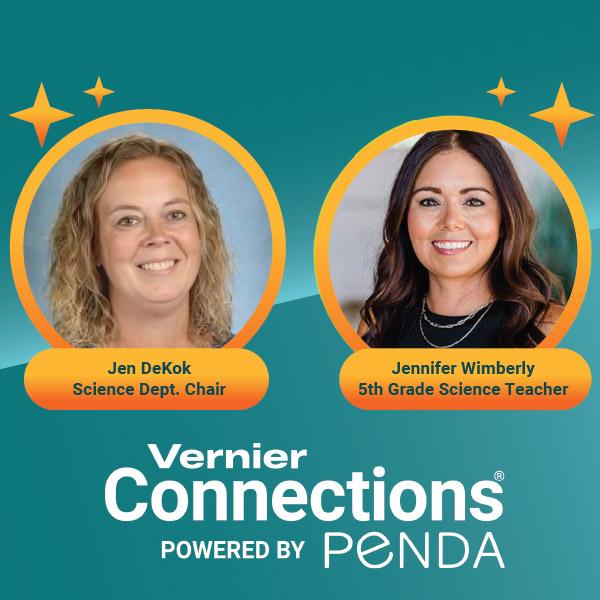
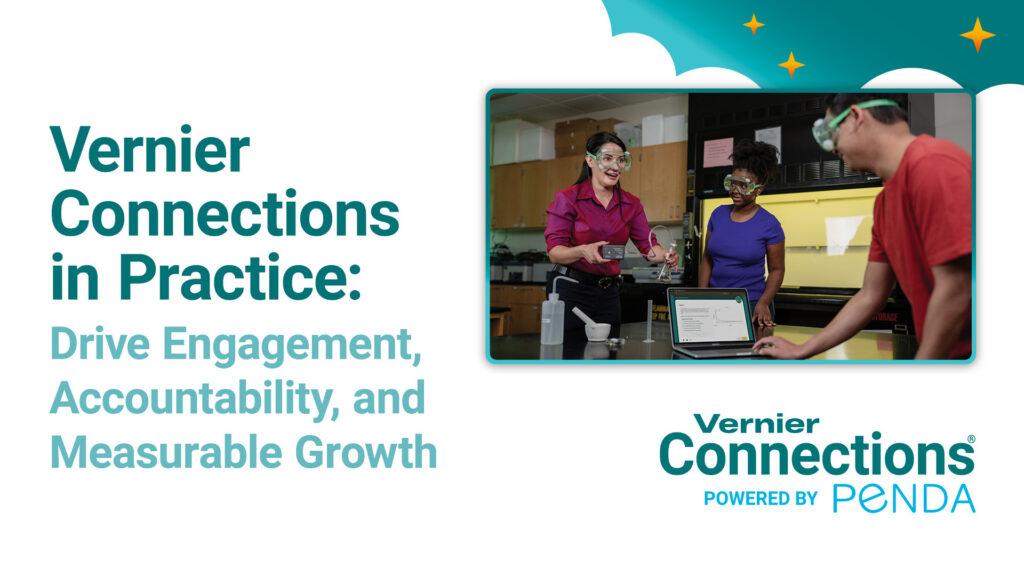
Jennifer Wimberley teaches 5th-grade science in Ector County Independent School District in Texas, where nearly 40 percent of her 95 students are emergent bilinguals. Jen DeKok chairs the science department at Blooming Prairie High School in Minnesota, supporting students across multiple grade levels and a wide range of ability levels. Both are in their first year using Vernier Connections®.
Connections is a digital science platform designed to boost science achievement by combining phenomena-based instruction, hands-on investigations, and standards-aligned assessments across grades 3–12. Every lesson and assessment is handcrafted from the NGSS and aligned to state performance standards.
In a recent webinar, Wimberley and DeKok sat down to talk honestly about what the platform has made possible in their classrooms—what’s worked, what’s carried over into assessment performance, and what they’d tell other educators considering it. Here are the five takeaways that stood out.
1. Rigorous content both challenges students and motivates them to take ownership of their learning.
Connections is built around high-level, phenomenon-based content that invites students to do more than just recall information. Each lesson opens with a video or scenario that draws students in through observation and critical thinking before any direct instruction is given. Question types—including multi-select, drag-and-drop, and short constructed response—mirror the complexity of high-stakes assessments and encourage students to read carefully and think critically about what they’re being asked.
For DeKok’s high school classrooms, that rigor is precisely what drew her to the platform. “The thing I appreciate most is that it’s asking my students to do a little bit higher-level thinking,” she said. “Our big focus has been helping students draw conclusions from their data and analyze graphs—and using Connections for those things has been really helpful.”
Both teachers were candid that students have to grow into the level of challenge, but that the adjustment pays off. “With my 5th-graders, we had to learn to slow down and be conscious about our thinking,” Wimberley said. Students had to learn to parse what a question was actually asking, respond in a specific format, and attend to both science content and vocabulary. “They see it week after week and they really kind of learned the process themselves,” she said.
DeKok saw similar growth in how her secondary students engaged with Connections questions. “They really had to think about what they were saying—and they got better and better at making sure they hit all the things a question was asking for.”
A class leaderboard and avatar system give students visible markers of progress and create structured incentives for persistence. “Once it became more routine, [my students] would actually get excited about it—it became a competition,” Wimberley said. The effect extended to students who typically disengage. “Even some of my lower-performing students would show me, ‘I finally got 80%—I’ve tried this lesson three times.’ And they would do it on their own time.”
DeKok saw the same dynamic with her secondary students. “They love to compete to get their names on the leaderboard. They actually go back and try activities multiple times so that they can get more points to use on their avatar—and they’re still learning, they’re trying to improve their score.”
2. Differentiation is built into the platform—making content more accessible to every learner.
For districts focused on multilingual learners and inclusive access, both educators emphasized that many accommodations are embedded directly into the platform. Features such as Microsoft® Immersive Reader, which supports translation into 100+ languages, read-aloud functionality, and line-reading supports, as well as lessons in differentiated text complexity help expand access without requiring teachers to create separate versions of lessons.
For Wimberley’s emergent bilingual students, the Immersive Reader has been particularly valuable—providing side-by-side vocabulary in English and their native language, with visual dictionary supports attached to key science terms.
“It was very, very helpful teaching them to split their screens and convert it to whatever language they needed,” she said. “That’s something I couldn’t give support for all the time.” The read-aloud function extends that access to all students. “I tell any student: If you want to put your headphones on and have it read to you, that’s totally fine.”
DeKok found value in the vocabulary support for her secondary students as well. “I like encouraging my students to use it because then they’re hearing the science word the way it’s supposed to sound,” she said. “Like ‘inertia’—it’s nice for them to be able to hear the reader saying the word.” For students working below grade level, Connections’ varied complexity levels remove the need for teachers to create parallel assignments. “The differentiation has been really helpful because I don’t have to spend so much time modifying everything.”
“It’s a wonderful, rigorous program,” added Wimberley. “It supplements and challenges all students and it becomes routine and no-lift.”
3. Hands-on investigations make accountability built-in.
Because students collect and analyze their own data, there is no shortcut available—they have to work with what they actually observe.
At the secondary level, hands-on investigations using Go Direct® sensors are integrated directly into the digital lessons. For example, students might use a Go Direct Temperature Probe to measure heat energy as they burn a tortilla chip, connect a CO₂ Gas Sensor to track carbon dioxide changes in a bottle of spinach leaves, or attach a Cart Fan to a Sensor Cart to investigate how vehicle weight and engine power affect acceleration—all without ever leaving the platform.
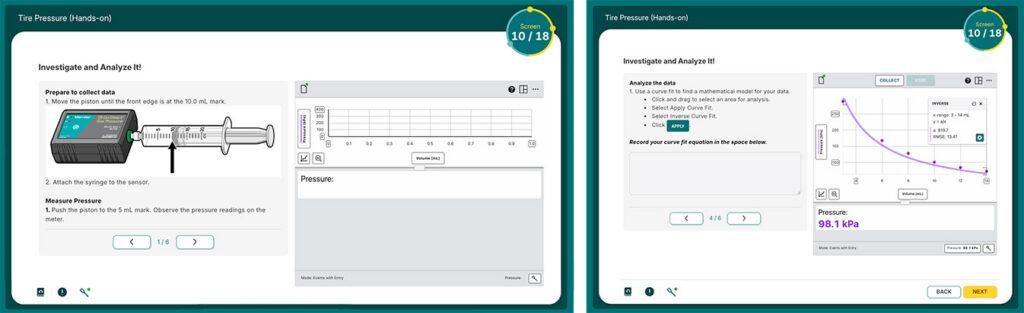
“They get to a slide that says, ‘Let’s collect some data. Connect this piece of probeware and let’s do this,’” DeKok said. “It gives all the setup, and then the kids can collect data and draw conclusions from things they actually saw in front of them.”
Each student can view and analyze data on their own device, building individual accountability, even within group work. “They can look at the data on their own device and analyze it themselves,” DeKok said. “That’s one of my favorite features. It’s immediate and it’s all there: We’ve got our data, now let’s go analyze. So there’s a little more buy-in for me.”
Hands-on probeware integration is available for grades 9–12, with a grades 6–8 expansion launching Fall 2026.
4. Progress data supports instructional decisions between assessments.
Connections gives teachers specific, actionable information about where students are and where instruction needs to go—without waiting for a formal assessment to surface gaps.
Wimberley monitors progress reports to identify students who have attempted a lesson multiple times without reaching mastery—a signal for direct intervention. “This kiddo has tried this lesson three or four times, they’re not able to get to 80%—this is a place where we need to circle back,” she said. “So I’ll tell them, ‘Let’s sit down and do it together,’ or ‘Let’s let a peer tutor help you.’”
DeKok looks at whether retry scores are trending upward across attempts. “If we haven’t met that mastery level, are we trying again? Is our next score better? How are we using the review?”
Short constructed response items surface student thinking in ways multiple choice cannot, making misconceptions visible before they carry into high-stakes tests. Where a student might otherwise leave an answer blank, Connections prompts them to write—revealing not just whether they know the content, but where their reasoning breaks down and where instruction needs to go next.
5. Implementation is a partnership—from launch through the full school year.
For administrators evaluating a platform investment, what happens after purchase matters as much as what the platform can do. Both teachers described a level of ongoing support that extended well beyond initial onboarding—and that translated into time savings throughout the year.
Vernier’s team partners with districts to integrate Connections with LMS and single sign-on systems, align lessons to existing pacing guides, and provide professional development tailored to each district’s structure and size.
In Ector County ISD, hand-alignment to the district’s pacing calendar means lessons arrive in teachers’ queues at exactly the right moment in their scope and sequence. “Everything is auto-assigned for us,” Wimberley said. “It’s saving me a lot of time in the background—not having to assign things and not having to grade them as much afterward.” Automatic grading compounds those savings further, freeing teachers to focus on the instructional decisions only they can make.
Support continues through mid-year and end-of-year check-ins, keeping the platform working as intended while teachers and students grow into it.
“I can email and I will get a response within an hour,” DeKok said. “If I had questions on any of the hands-on labs, there were people I could email and they would get straight back to me…You are not left hanging with this platform.”
Wimberley put it simply: “It always felt like a partnership.”
“I think Connections is probably the best quality subscription learning platform I’ve used in 17 years,” DeKok said. “Any teacher that’s thinking about doing it—I think you’ll be pleased if you jump in.”
Watch the full webinar to hear more from Jennifer Wimberley and Jen DeKok, or learn more about Vernier Connections. Ready to talk about what implementation could look like in your school or district? We’d love to connect.
Share this Article
Related Articles



Sign up for our newsletter
Stay in the loop! Beyond Measure delivers monthly updates on the latest news, ideas, and STEM resources from Vernier.