
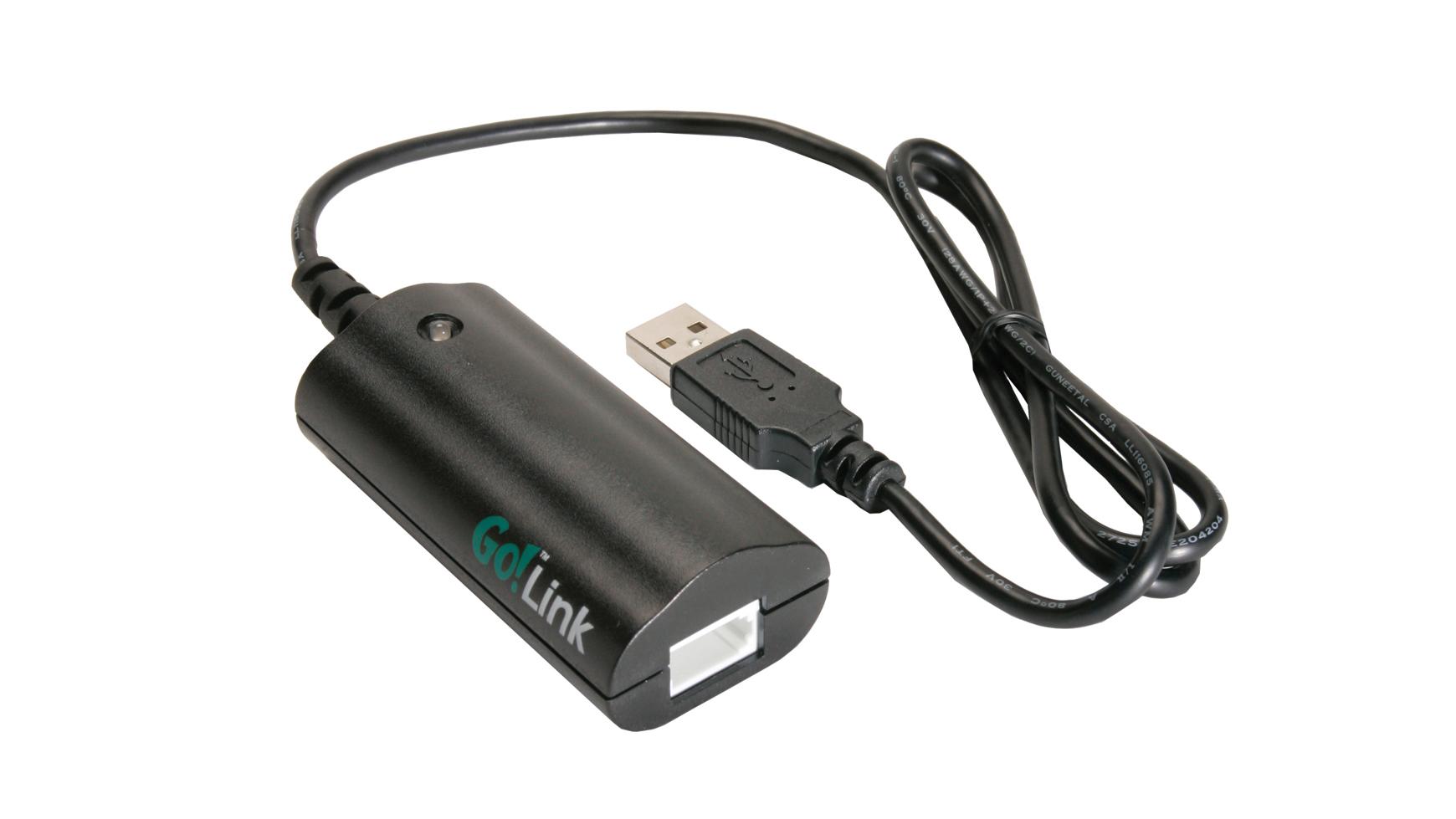
 Go! Link
- Go! Link
- The Go! Link USB sensor interface is a quick and affordable way to get started with data-collection technology. It's a single-channel interface that ...
- https://www.vernier.com/product/golink/
- Earth Science with Vernier
- Link. 13, Water Quality: Total Dissolved Solids, Go Direct® Conductivity Probe. 14 ... Go Direct® Energy Sensor, Go Direct® Light and Color Sensor, Vernier ...
- https://www.vernier.com/product/earth-science-with-vernier/
- Go! Link User Manual
- Go! Link is a single-channel USB interface used to connect many Vernier sensors directly to a Windows® or Macintosh® computer. Some Vernier sensors can also ...
- https://www.vernier.com/manuals/go-link/
- Go!Link Troubleshooting and FAQs
- Apr 24, 2019 ... The LED on the Go!Link is a useful troubleshooting tool. When working correctly, the LED on the Go!Link is green. If your LED is not green, see:
- https://www.vernier.com/til/2114
- What sensors do not work with Go!Link?
- The list indicates the Go!Link limitation followed by the sensors that do not work based on that limitation. Go!Link has only one sensor port. 3 ...
- https://www.vernier.com/til/1908
- Go Direct ® CO 2 Gas Sensor
- Wireless or Wired—The Flexibility to Choose. Our Go Direct sensors connect directly to your mobile device, Chromebook™, or computer using our Vernier Graphical ...
- https://www.vernier.com/product/go-direct-co2-gas-sensor/
- Go! to Easy Adapter
- Link* to connect to the USB port of a TI-Nspire handheld or TI-84 graphing calculator. ORDER CODE: USB-MINI ...
- https://www.vernier.com/product/go-to-easy-adapter/
- Go Direct® pH Sensor
- Our Go Direct sensors connect directly to your mobile device, Chromebook™, or computer using our Vernier Graphical Analysis app—no additional equipment or ...
- https://www.vernier.com/product/go-direct-ph-sensor/
- Go Wireless Link Troubleshooting and FAQs
- Dec 20, 2019 ... Go Wireless Link uses Bluetooth low energy technology and can only be used with devices running the appropriate software that support Bluetooth ...
- https://www.vernier.com/til/3473
- Should I buy EasyLink or Go!Link to work with Texas Instruments ...
- The Go!Link has a 1 m cable with a standard USB-A plug for connecting to a computer or Chromebook. The Go! to Easy USB adapter converts the USB-A plug on ...
- https://www.vernier.com/til/4363
- Why does my CO2 sensor ID as a Current sensor when used with a Go!Link?
- The BTA version of the CO2 Gas Sensor is not supported by the original Go!Link. (The original Go!Link label simply says Go!Link, like the one...
- https://www.vernier.com/til/1927/
- What is the repair policy on calculators, CBLs, and Graph Link cables?
- Texas Instruments provides free out of warranty repair for connector (I/O or link port) problems on graphing calculator and data collection devices that are up...
- https://www.vernier.com/til/744/
- My Colorimeter won't calibrate properly when used with a Go! Link or EasyLink.
- When using a on the 565 nm setting with a or interface, you may occasionally see a bad value, typically 108% T, after calibration. This...
- https://www.vernier.com/til/4265/
- Is TI-Graph Link network compatible?
- Yes and no. The program itself and the help file can be run from a network computer by as many users as you want, but...
- https://www.vernier.com/til/74/
- Why does my Go!Link or GC Mini fail to connect every other time on Windows 8.1?
- Note: This issue is fixed in Logger Pro 3.8.6.2 and Logger Lite 1.7 and higher. Windows 8.1 changed the default suspend/stop behavior for Human Interface...
- https://www.vernier.com/til/3082/
- How do I tell which model Go!Link I have?
- The Go!Link originally came out in 2004. As time went on some of the components we were using in the original design were no longer...
- https://www.vernier.com/til/4389/
- What Vernier Interface do I have?
- Interfaces are used to connect sensors to a device (ex: computer, Chromebook™, mobile, tablet.) In the case of Original LabQuest®, LabQuest 2 or LabQuest 3...
- https://www.vernier.com/til/20898/
SAVE/SHARE YOUR CART