Vernier SensorDAQ

Powered by National Instruments and Vernier

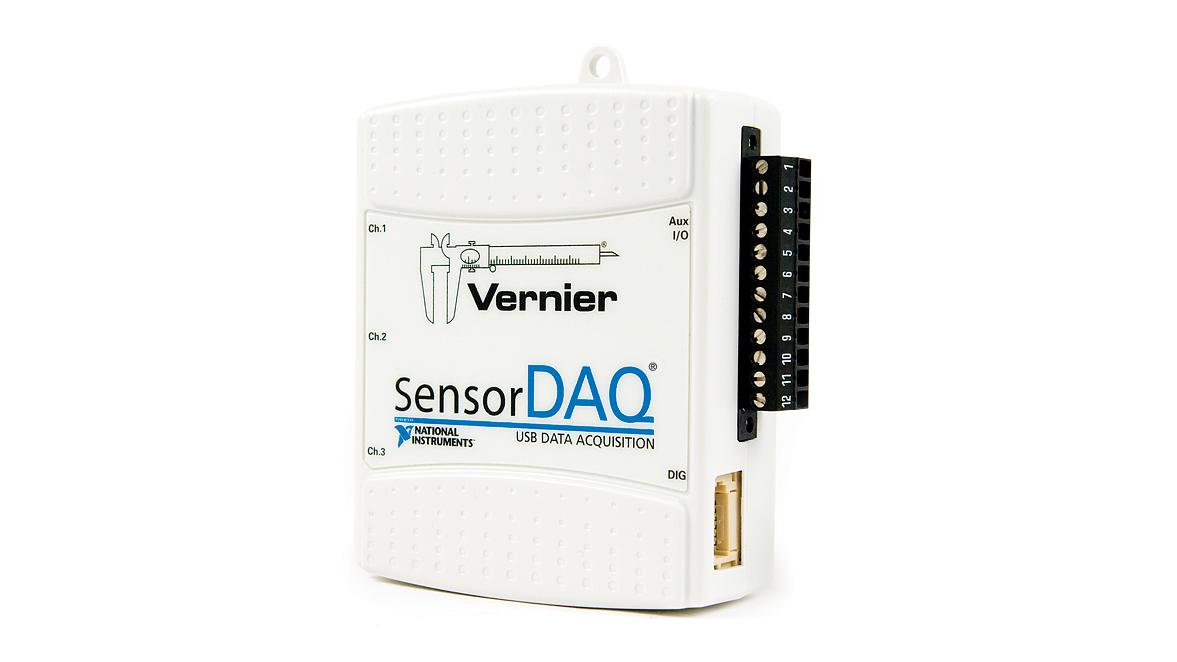
The Vernier SensorDAQ is a data-acquisition interface that offers unprecedented convenience and power to engineering students with USB connectivity and the ability to automatically detect Vernier sensors.

Vernier and National Instruments (NI), two of the most respected names in science and engineering, are collaborating on the powerful, affordable interface for use with over 50 Vernier sensors and NI's LabVIEW software.

Order Information

  • Vernier SensorDAQ
  • Order Code: SDAQ
  • Price: $189

Vernier Engineering

Find sensors, interfaces, projects, and software for engineering on our engineering site.

Vernier Engineering »

Using SensorDAQ and LabVIEW to measure blood pressure

Ease-of-Use Comes Standard

Connect the Vernier SensorDAQ to a computer with the included USB cable, and the NI-DAQmx driver software takes care of the rest.

Auto-ID icon

Then plug in Vernier Auto-ID sensors to the SensorDAQ, and they are automatically configured and ready for data acquisition.

Custom Engineering Projects

The screw terminal connector provides the versatility needed for customized data acquisition and control projects.

SensorDAQ's combicon connector

Four Ready-to-Use Channels

Vernier sensors are trusted, high-quality instruments in the classroom. The Vernier SensorDAQ provides four channels to connect Vernier sensors.

Three 13 bit, single-ended analog channels are available for 45 different analog sensors, including temperature, dissolved oxygen, gas pressure, pH, force, and more.

One digital channel is dedicated for motion detectors, photogates, radiation monitors, rotary motion sensors, and drop counters.

See our full list of sensors to see what type of data you can manipulate.

Programming SensorDAQ with LabVIEW

LabVIEWSensorDAQ is designed to be programmed with National Instruments' LabVIEW software. Use the source code of our "virtual instruments", or VIs for short, to help you develop your own custom programs or to teach instrument control, data-acquistion skills, or programming to students.

SensorDAQ Driver, Example VIs, and Readme

Data Collect Driver, Example VIs, and Readme

Requires SensorDAQ Driver VI

DCU Driver, Example VIs, and Readme

Requires SensorDAQ Driver VI

SensorDAQ requires NI LabVIEW. Buy LabVIEW for your school »

SensorDAQ Engineering Experiments

To get you started with engineering using SensorDAQ, we have several free experiments to download. Each is designed to introduce and teach the use of SensorDAQ and LabVIEW.

Each download is a self-extracting compressed file that includes the final LabVIEW virtual instrument (VI) and a word file with step-by-step instructions to be used as-is or modified to your needs.

If you have a experiment you would like to share, please let us know or share it on our forum.

  • Experiment 1: Controlling an LED

    Experiment 1: Controlling an LED

    In this experiment, you will write a LabVIEW program to control an LED and become familiar with wiring an electronic component in an open drain circuit.

  • Experiment 2: Photodiode Switch

    Experiment 2: Photodiode Switch

    In this experiment, you will write a LabVIEW program that uses the input reading of a photodiode to control the on/off state of an electronic component and investigate the characteristics of a photodiode.

  • Experiment 3: RC Servo Motor

    Experiment 3: RC Servo Motor

    In this experiment, you will write a LabVIEW program to control an RC servo motor and investigate the characteristics of a pulse train and pulse width modulation.

  • Experiment 4: Solar Cell

    Experiment 4: Solar Cell

    In this experiment, you will measure current and voltage of a solar cell to investigate the effect of irradiance angle on the total power output.

  • Experiment 5: Sun Tracker

    Experiment 5: Sun Tracker

    In this activity, you will build a single axis Sun Tracker using two light sensors and a DC motor. A simple mathematical algorithm in the Sun Tracker program will compare the light readings from the two sensors, and then rotate them right or left to balance the light source between them.

  • Experiment 6: Build a Temperature Sensor

    Experiment 6: Build a Temperature Sensor

    In this experiment, you will create your own temperature sensor with a voltage divider circuit using a resistor and a thermistor. You will create a LabVIEW subVI to convert the voltage reading to temperature (°C) and a LabVIEW program to measure the voltage of the voltage divider circuit and convert to temperature with the subVI.

  • Experiment 7: Strain Gage Measurement

    Experiment 7: Strain Gage Measurement

    In this activity, you will create a Wheatstone half-bridge circuit that uses two strain gages, and measure the strain on a cantilever beam as a load is applied at the end of the beam.

Technical Specifications

Computer System Requirements

What's Included with
Vernier SensorDAQ

Data-Acquisition Specifications

  • Up to 48,000 samples per second
  • 4 quick connect sensor channels:
    • 3 analog channels, 13 bits single ended
    • 1 digital sensor channel
  • Screw terminal connector:
    • 2 general-purpose analog input channels-13 bits single ended, 14 bits differential
    • 4 digital I/O lines
    • 1 analog output channel
    • 1 counter
  • Detailed specifications
    (20.5 KB PDF)

Compatible Sensors

The Vernier SensorDAQ is compatible with over 50 sensors. See our sensor compatibility chart for details.

Popular Engineering Education Sensors